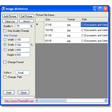
Reduce, convert or redefine batches of images
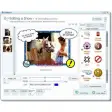
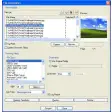
Sometimes you need separate applications to resize, edit and convert images. Not so with Image Minimizer which allows you to modify the quality, size and format of multiple images at the same time. This all-in-one solution saves time and effort that you usually have to waste on image management.
The program supports most popular graphic formats and has support for drag-and-droppingimages. By integrating itself into Windows shell, it also allows you to execute the program from Windows context menu by right clicking on the image. You simply select "Send to..." and then "Image Minimizer”. When you modify the photos, the program can also be automatically configured to add a suffix to the filename so that the original is left untouched.
This is a simple program that does 3 tasks in one and is useful for anyone who has to constantly resize, format or convert images.






















User reviews about Image Minimizer
Have you tried Image Minimizer? Be the first to leave your opinion!